
Trade on

with share.market
Leverage sophisticated charting and analytical tools and elevate your trading experience, using your existing share.market account
LET'S GET STARTED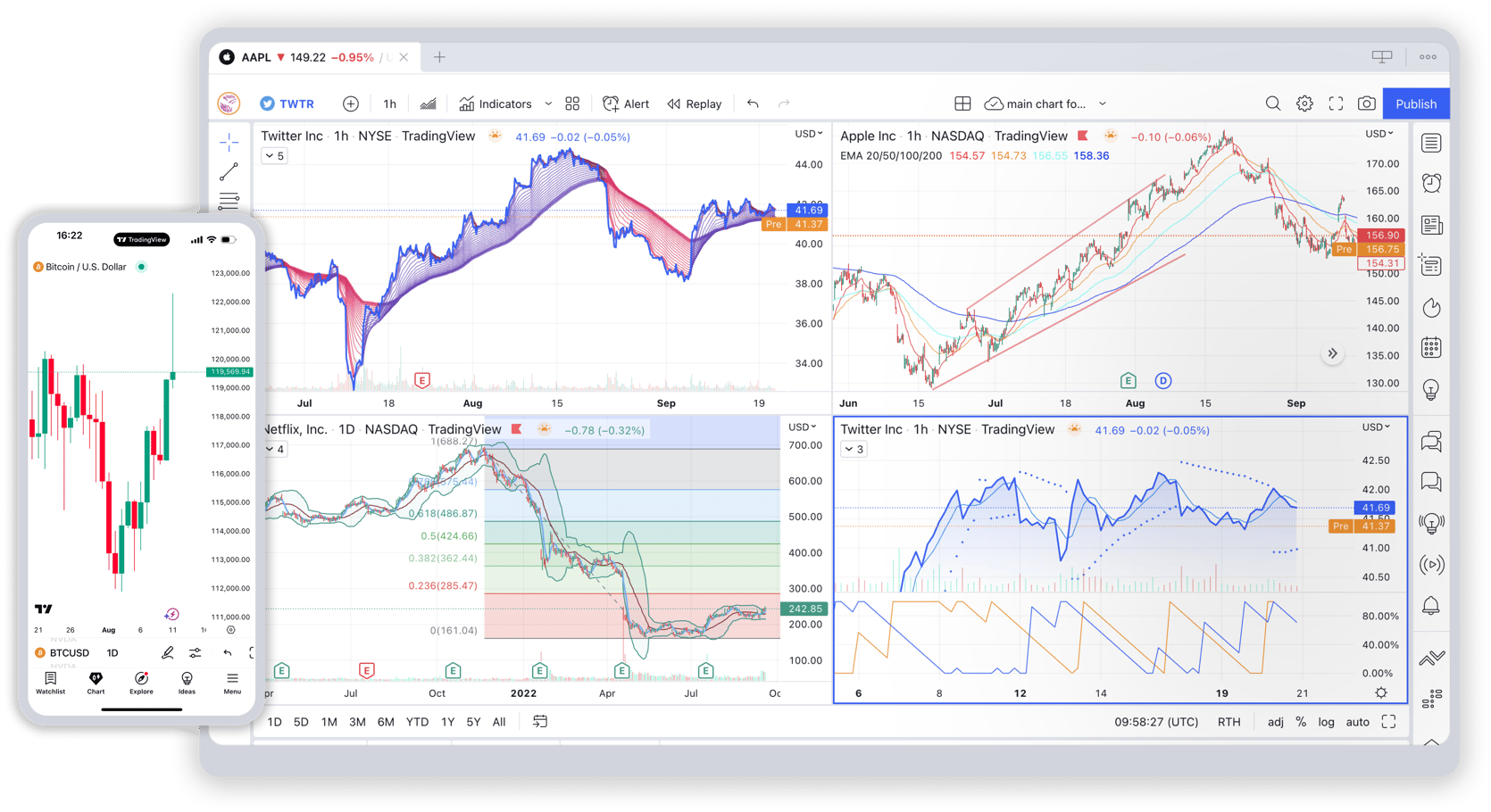
Try out the desktop app for TradingView


'%3e%3cpath%20fill-rule='evenodd'%20clip-rule='evenodd'%20d='M28.236%207.599c1.538-1.782%202.574-4.264%202.29-6.733-2.215.084-4.895%201.415-6.484%203.195-1.427%201.58-2.672%204.103-2.337%206.524%202.471.183%204.994-1.202%206.532-2.986Zm5.543%2015.673c.061%206.383%205.842%208.506%205.906%208.534-.047.15-.923%203.025-3.045%205.998-1.836%202.569-3.74%205.127-6.74%205.182-2.947.053-3.896-1.674-7.267-1.674-3.37%200-4.423%201.619-7.212%201.726-2.896.104-5.103-2.778-6.952-5.338-3.783-5.237-6.672-14.797-2.791-21.25%201.928-3.203%205.371-5.235%209.112-5.285%202.842-.053%205.527%201.832%207.265%201.832%201.738%200%205-2.267%208.429-1.933%201.435.057%205.465.554%208.052%204.183-.209.125-4.809%202.69-4.757%208.025Z'%20fill='%23fff'%20/%3e%3c/g%3e%3cdefs%3e%3cclipPath%20id='a'%3e%3cpath%20fill='%23fff'%20transform='translate(.672%20.866)'%20d='M0%200h42.176v42.176H0z'%20/%3e%3c/clipPath%3e%3c/defs%3e%3c/svg%3e)

Top-Tier Charts
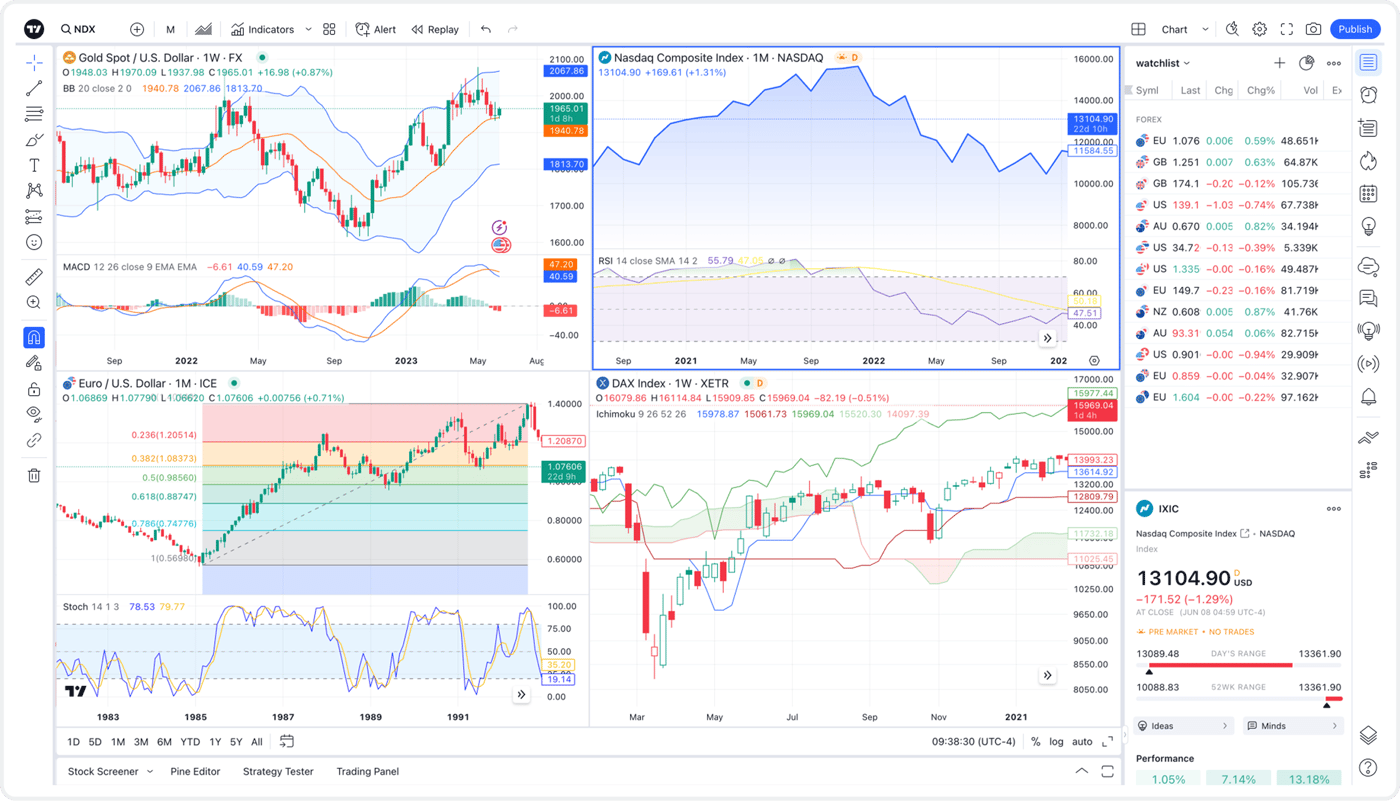
Execute trades using state-of-the-art drawing tools and an extensive selection of indicators.
Perks in store for you
![Card [object Object]](https://static.share.market/images/web/1600/800/sm_tv_perks_outstandingcharts.png)
Access Outstanding Charts
Fuel your trading experience with access to more than 20+ interactive chart types, 400+ indicators, and 110+ drawing tools
![Card [object Object]](https://static.share.market/images/web/1600/800/sm_tv_perks_byetowildguesses.png)
Say Bye To Wild Guesses
Engage with TradingView’s vibrant community of traders and investors. Learn, share and stay informed- together
![Card [object Object]](https://static.share.market/images/web/1600/800/sm_tv_perks_strategytester.png)
Strategy Tester
Use historical data to evaluate various strategies and thereby, make intelligent, well-informed trading decisions
![Card [object Object]](https://static.share.market/images/web/1600/800/sm_tv_perks_impupdates.png)
Calendars & Market News
Stay informed with financial calendars and market news, accessing essential updates right where you trade to help you react fast to market changes.
![Card [object Object]](https://static.share.market/images/web/1600/800/sm_tv_perks_pinescript.png)
Pine Script™
Effortlessly build and share your own unique trading indicators and strategies, all with minimal coding effort
![Card [object Object]](https://static.share.market/images/web/1600/800/sm_tv_perks_adjustableorderpanel.png)
Adjustable Order Panel
Identify optimal entry and exit points and thereby, reduce risks, all thanks to the Responsive Order Panel
Ready to trade smarter with TradingView?
Get started in 3 easy steps


Choose Share.Market on TradingView Panel
Once you' have logged in to your TradingView account, select Charts > TradingPanel > share.market > Connect. It's that easy!

Authorise TradingView connection
You'll receive a notification to connect your share.market trading account to TradingView. And that's it, you're all set!